How to Check Insurance Status: A Step-by-Step Guide
Checking your insurance status can feel like a proper mission. There are forms to find, numbers to remember, and you never know if your info is even up to date. But what if I told you that most insurance companies now let you check your policy details online within five minutes, straight from your phone. The real catch is that skipping a proper check could leave you without proof of cover when you need it most.
Table of Contents
- Step 1: Gather Your Insurance Information
- Step 2: Access Your Insurance Provider’s Website
- Step 3: Navigate to the Insurance Status Section
- Step 4: Enter Required Details to Check Status
- Step 5: Verify Your Insurance Status
- Step 6: Save or Document Your Insurance Information
Quick Summary
| Key Point | Explanation |
|---|---|
| 1. Gather critical insurance documentation | Collect policy certificate, insurance card, and ID for verification. Digital records are available via online portals if physical copies are lost. |
| 2. Safely access your provider’s website | Navigate to the official website carefully, ensuring it is secure. Use the login section to access your account with correct credentials. |
| 3. Locate the insurance status section | Search for labels like ‘Policy Status’ within the user dashboard. Utilize search functions if needed to find specific details. |
| 4. Verify all entered details carefully | Double-check policy number and identification before submitting to avoid access issues. Accurate data entry is crucial for successful verification. |
| 5. Document your insurance information securely | Create both digital and physical copies of the insurance status. Organize these for easy access and maintain a personal record of your verification process. |
Step 1: Gather Your Insurance Information
Checking your insurance status begins with comprehensive information gathering. This crucial first step ensures you have all necessary documents and details readily available to streamline the verification process. Understanding what information you need can save significant time and reduce potential frustration.
Start by collecting critical insurance documentation that will serve as your verification toolkit. This includes your original insurance policy certificate, most recent insurance card, and any correspondence from your insurance provider. If you cannot locate physical copies, do not panic. Most modern insurance companies maintain digital records that can be accessed through their online customer portals.
The primary documents you will want to assemble include your policy number, full legal name as listed on the policy, date of policy inception, and the specific type of insurance coverage you hold. Your identification documents will also be essential. Have your South African ID or passport ready, as these will be required for identity verification during the insurance status check.
Technology offers convenient alternatives for information retrieval. Many insurance providers now offer mobile applications and web platforms where policyholders can instantly access their insurance details. Learn more about digital insurance management tools that can simplify your information gathering process.
If you have multiple insurance policies or have recently changed providers, create a dedicated folder or digital file where you can systematically organize all relevant insurance documentation.
Here is a quick checklist table to help you organise and verify the documents and details you need before checking your insurance status, making your preparation hassle-free.
| Requirement | Why You Need It | Where to Find or Retrieve |
|---|---|---|
| Policy certificate | Primary proof of cover & reference for policy | Online portal or physical folder |
| Recent insurance card | Confirmation of policy number & cover type | Wallet, glove compartment, or online |
| South African ID or passport | Required for identity verification | Home documents or personal ID wallet |
| Date of policy inception | Needed for account setup or queries | Policy document or online account |
| Type of coverage | To confirm insurance scope (e.g. car, home) | Policy schedule or online dashboard |
| Provider correspondence | For website/login details or reference in case | Old emails or posted letters |
| Alternative: online/mobile access | Instant access if physical docs are misplaced | Provider portal or app on your phone |
| This approach prevents last-minute scrambling and ensures you have a comprehensive overview of your insurance landscape. |
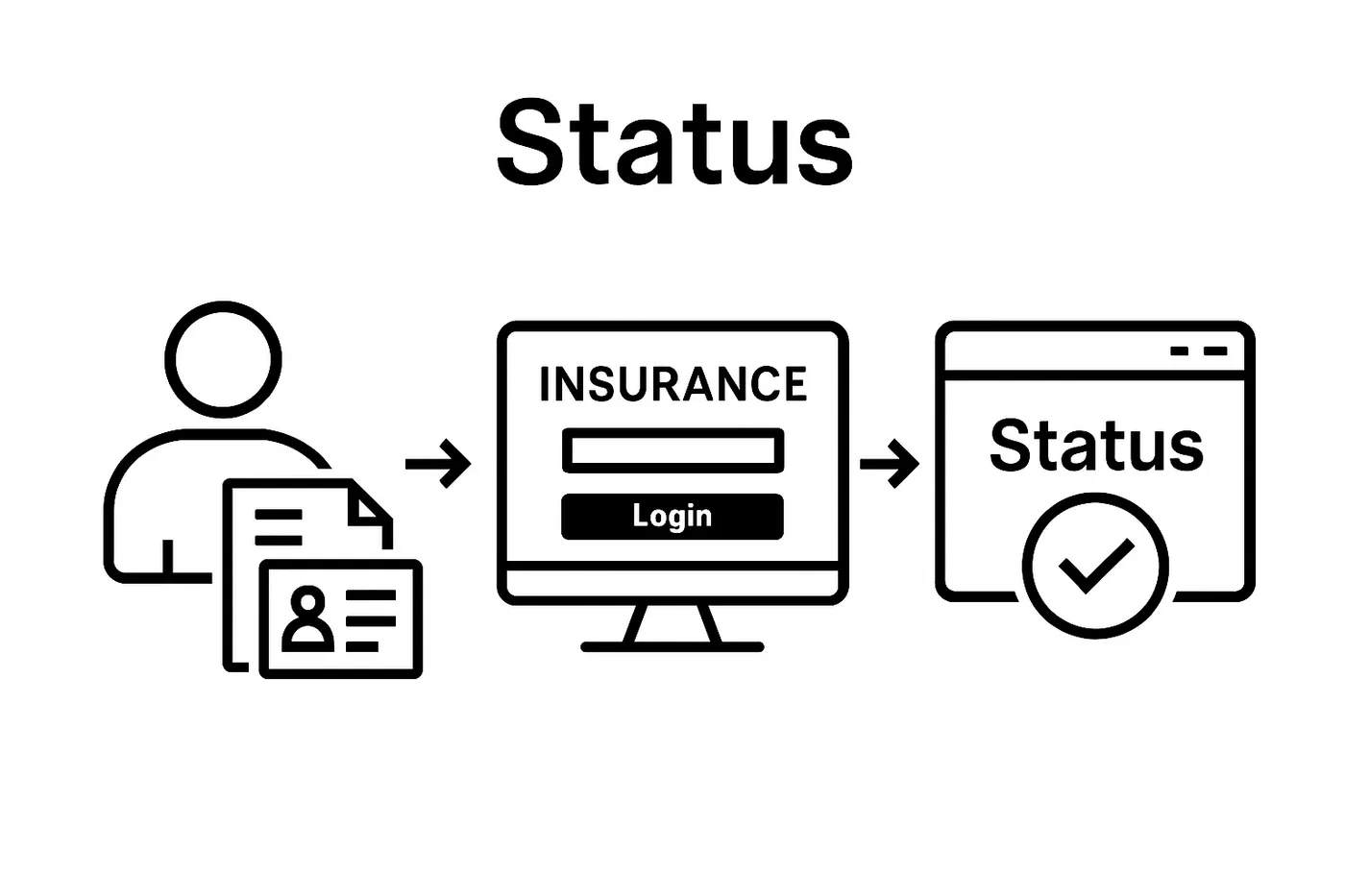
Should you encounter challenges locating your documents, contact your insurance provider directly. Most customer service representatives can assist you in retrieving policy information, providing duplicate certificates, or guiding you through their online information retrieval systems. Remember, preparedness is key when checking your insurance status, and thorough initial information gathering sets the foundation for a smooth verification process.
Step 2: Access Your Insurance Provider’s Website
Navigating your insurance provider’s online platform is a critical step in checking your insurance status. This digital journey requires careful attention to security and precise navigation to ensure you access the correct account information. Most insurance companies have developed user-friendly websites designed to help policyholders quickly retrieve their insurance details.
Begin by opening your preferred web browser and typing the official website address of your insurance provider. Be extremely cautious about potential phishing sites and always double-check the web address for accuracy. Legitimate insurance websites typically use secure “https://” protocols and display a padlock icon in the browser’s address bar, indicating a secure connection.
If you are uncertain about your provider’s exact web address, consult your original policy documents or recent insurance correspondence. Reputable insurance companies often include their website details on official communications. Discover expert tips for navigating online insurance platforms to help streamline your online experience.
Once on the website, locate the customer login section. This is typically found in the top right corner of the homepage. You will need the login credentials you established when first creating your online account. If you have forgotten your username or password, most websites offer straightforward account recovery options. Look for links labeled “Forgot Password” or “Recover Account” that will guide you through the reset process.
For first-time users or those who have not yet created an online account, you will need to register. This process usually requires your policy number, personal identification details, and contact information. Some insurers might request additional verification steps to ensure account security, such as sending a confirmation code to your registered mobile number or email address.
Should you encounter technical difficulties during login, do not become frustrated. Most insurance providers offer customer support through live chat, telephone helplines, or email support. Keep your policy documents nearby to provide necessary information when seeking assistance. Remember that patience and careful navigation are key to successfully accessing your insurance status online.
Step 3: Navigate to the Insurance Status Section
Once logged into your insurance provider’s website, the next critical phase involves precisely locating the insurance status section. This step requires careful observation and navigation through potentially complex website layouts. Most insurance providers organize their online platforms to help customers access critical information efficiently, though the exact location can vary between different companies.
Begin by scanning the main dashboard or user homepage for clear indicators like “Policy Status,” “Coverage Details,” “Policy Information,” or “My Insurance.” These labels typically appear in prominent menu sections, often positioned along the top navigation bar or within a sidebar menu. Pay close attention to dropdown menus or secondary navigation links that might reveal more specific status tracking options.
Learn about efficient online insurance management techniques to help streamline your navigation process. If the status section is not immediately visible, utilize the website’s search function. Most modern insurance platforms include a search bar where you can enter keywords like “status,” “policy details,” or “current coverage” to quickly locate the desired information.
Should you encounter difficulty finding the correct section, do not hesitate to use the website’s help or support features. Many insurance providers offer site navigation guides, live chat support, or comprehensive FAQ sections designed to assist customers in accessing their account information. Look for “Help” or “Support” buttons typically located in the website’s header or footer.
Some insurance websites might require you to select a specific policy type or insurance category before accessing detailed status information. This means you may need to click through multiple sections, such as selecting “Car Insurance” before seeing your specific policy details. Take your time and read each page carefully to ensure you are navigating to the correct section.
A successful navigation means you have landed on a page displaying comprehensive information about your current insurance policy. This section should include key details like policy number, coverage dates, current status, and any pending actions or notifications. If you can view these fundamental details, you have successfully completed this critical step in checking your insurance status.
Step 4: Enter Required Details to Check Status
Entering the correct details to check your insurance status requires precision and attention to detail. This crucial step involves inputting specific information that will authenticate your identity and provide access to your policy details. The process might seem straightforward, but even small errors can prevent you from accessing your insurance information.
Prepare your documentation before beginning. You will typically need your policy number, identification number, and potentially additional verification details like your date of birth or contact information. Double-check each piece of information against your original insurance documents to ensure absolute accuracy. Typos or incorrect entries can trigger system rejections, forcing you to restart the entire verification process.
Explore advanced online verification techniques to enhance your digital insurance management skills. Most insurance platforms incorporate multiple security layers to protect your personal information. This might include additional verification steps such as security questions, two-factor authentication, or captcha challenges designed to prevent unauthorized access.
Pay special attention to the specific format required for each information field. Some systems are extremely particular about how data is entered. For instance, your identification number might need to be entered without spaces or special characters. Policy numbers could require specific capitalization or might be case-sensitive. If you encounter an error message, carefully review how you have input each piece of information.
If you are struggling to complete the verification process, do not become frustrated. Most insurance providers offer alternative verification methods. Look for options like calling their customer support line, using a live chat feature, or visiting a local branch office. Some companies provide customer support representatives who can guide you through the online status checking process or manually verify your details.
A successful verification will typically result in a dashboard or page displaying your current insurance status. This should include key information such as policy active dates, coverage details, premium payment status, and any pending actions or notifications. If you can view these comprehensive details, you have successfully navigated this critical step in checking your insurance status.
Step 5: Verify Your Insurance Status
Verifying your insurance status represents the culmination of your investigative process, requiring careful examination of the information displayed on your screen. This critical step involves more than simply glancing at the details. You need to conduct a comprehensive review of your policy information to ensure complete accuracy and understanding.
Carefully review each section of your displayed insurance status. Look for key elements such as policy number, coverage period, premium payment status, and specific coverage details. Pay particular attention to the policy expiration date and any upcoming renewal requirements. Discrepancies or unexpected changes could indicate potential issues that require immediate attention from your insurance provider.
Discover comprehensive insurance verification strategies to protect your financial interests. Verify that all personal information matches your official documents exactly. Check your name, address, contact details, and identification numbers to confirm they are current and correct. Even minor errors could potentially complicate future claims or policy management.
If you encounter any inconsistencies or have questions about your displayed insurance status, do not ignore them. Most online platforms provide contact information or support channels directly within the status page. Look for buttons or links labeled “Contact Support,” “Report an Issue,” or “Request Clarification.” These resources can help you address any concerns immediately and prevent potential complications down the line.
Specific details to confirm include your current coverage level, any outstanding premiums, active riders or additional protections, and the exact scope of your current insurance policy. Some insurance providers will also display recent claims history or pending actions that might impact your coverage. Take screenshots or save a digital copy of your current status for future reference, creating a personal record of your insurance verification process.
A successful verification means you have comprehensively reviewed your insurance status, confirmed all details are accurate, and understand your current policy standing. If you can confidently state that all information is correct and up to date, you have successfully completed this crucial step in managing your insurance coverage.
Step 6: Save or Document Your Insurance Information
Documenting and preserving your insurance status information represents the final critical step in ensuring long-term protection and easy future reference. This process goes beyond simply taking a screenshot, requiring a strategic approach to information management that safeguards your financial interests.
Create multiple documentation formats to ensure comprehensive backup. Begin by taking high-resolution screenshots of your entire insurance status page. These digital captures should include all visible policy details, including policy number, coverage dates, and current status. Save these screenshots in at least two separate locations: your computer’s hard drive and a secure cloud storage platform. Consider using encrypted cloud services that provide an additional layer of security for sensitive financial information.
Explore advanced document management techniques to enhance your digital record-keeping skills. In addition to digital copies, print a physical version of your insurance status documentation. Store this hard copy in a fireproof document safe or a secure filing cabinet. Include the date of retrieval and any relevant notes about your current insurance standing.
Organize your digital and physical documents systematically. Create a dedicated folder on your computer labeled with the current year and insurance type. Within this folder, use a consistent naming convention for your files, such as “InsuranceStatus_PolicyNumber_Date.pdf” or “InsuranceScreenshot_Date.png”. This approach ensures quick retrieval and prevents confusion with multiple document versions.
Consider maintaining a digital insurance portfolio. This comprehensive file should include not just your current status documentation, but also previous policy records, communication logs with your insurance provider, and any relevant correspondence. Many insurance professionals recommend keeping at least three to five years of historical insurance documentation for potential future reference or claims processing.
A successful documentation process means you have created multiple, secure backups of your insurance status, organized them systematically, and ensured they are easily accessible.
This overview table summarises each main step in the process of checking your insurance status, including the key action and expected outcome, so you know what to anticipate at every phase.
| Step | Key Action | Expected Outcome |
|---|---|---|
| 1. Gather Information | Collect essential documents and details | Ready to verify status |
| 2. Access Provider Website | Navigate securely to insurer’s official site | Logged into provider platform |
| 3. Find Status Section | Locate the relevant section using dashboard or search | Visible insurance details |
| 4. Enter Details | Precisely input policy and ID information | System authenticates user |
| 5. Verify Status | Review all listed insurance information for accuracy | Confirm cover is current and correct |
| 6. Save/Document | Take screenshots, save copies, and organise securely | Record is safely stored for future use |
| By completing this step, you have transformed a simple status check into a robust personal insurance management strategy that protects your financial interests and provides peace of mind. |

Take Control of Your Insurance Status with Peace of Mind
You have just learned how complex and tiring it can be to gather the right documents, verify your policy details, and ensure your insurance status is always correct. Simple mistakes or lost login details can waste time and cause unneeded worry, especially when you depend on your insurance for peace of mind. Many South Africans are frustrated by confusion around policy numbers and navigating online platforms to confirm that their coverage is active.
At Savvy Insurance, we make it easy for you to check and manage all your cover details in one reliable place. Whether it is car insurance, home contents, or even your cellphone insurance, our platform keeps your policies accessible and fully updated. Discover smarter insurance management and a better way to protect what matters most by visiting Savvy Insurance. Ready to feel secure about your insurance status right now?
- Start with a fast insurance status check and quote
- Compare our tips with our simple online dashboard for ongoing policy tracking
Visit Savvy Insurance today and experience less stress, better support, and complete confidence in your cover.
Frequently Asked Questions
How do I gather my insurance information before checking my insurance status?
To check your insurance status, collect critical documents like your original insurance policy certificate, the most recent insurance card, and correspondence from your insurance provider. Ensure you have your policy number and identification documents, such as your South African ID or passport.
What steps should I take to access my insurance provider’s website?
Start by opening your web browser and typing the official website address of your insurance provider carefully. Look for the customer login section and use your login credentials. If you’re a first-time user, you may need to register using your policy number and personal details.
How can I navigate to the insurance status section after logging in?
Once logged in, look for labels like “Policy Status,” “Coverage Details,” or “My Insurance” on your dashboard. If you have trouble finding it, use the website’s search function or consult the help/support features.
What should I do if I find discrepancies in my insurance status?
If you notice any discrepancies in your insurance status information, don’t ignore them. Contact your insurance provider’s support through the available channels on the website to resolve any issues and ensure your policy details are accurate.
Recommended
- Top Tips for Choosing an Insurer in 2025
- Insurance Claim Process Explained
- How to Switch Insurers in 2025
- Car Insurance and Roadworthiness
Ready to compare insurance? Get free, no-obligation quotes from South Africa's top insurers in a few minutes and see how much you could save.
Compare insurance quotes →Free · No obligation · POPIA compliant · We never sell your data